Property Automate
Book a demo
PRODUCTIVITY APPS · COMMUNITY APP · PEOPLE APP

Two apps.
Everyone on your properties.

The Community App is for the people who live, rent and own. The People App is for everyone who works: employees, field workers and security. Both run on the same propGOTO data, in your brand and in 20 languages.
2 apps
one platform underneath
20 languages
in both apps
Your brand
from day one
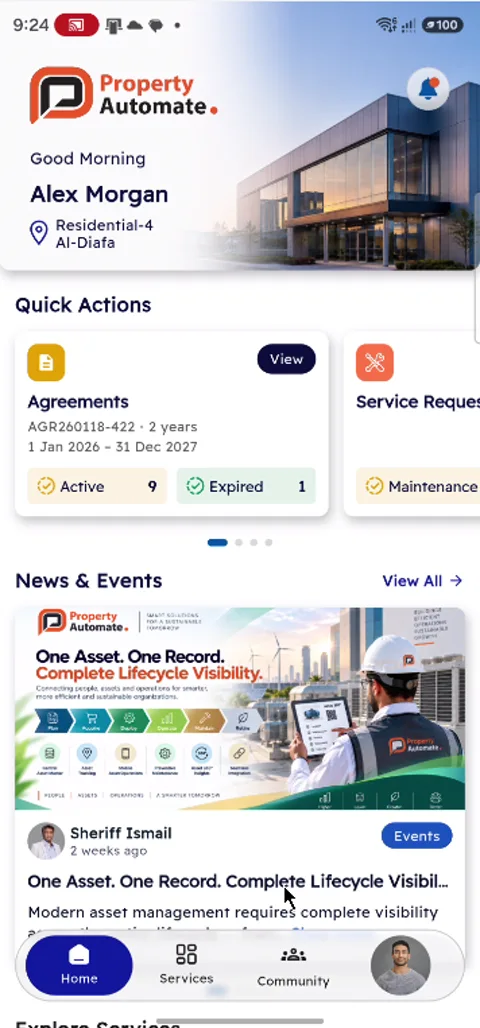
Community App: homePeople App: operations homePeople App: employee home
COMMUNITY APP · FOR RESIDENTS, TENANTS AND OWNERS

Everything about my home, in one app.

Agreements, invoices, requests, bookings, letters and the community, for every unit a person holds.
ResidentTenantLandlordOwner
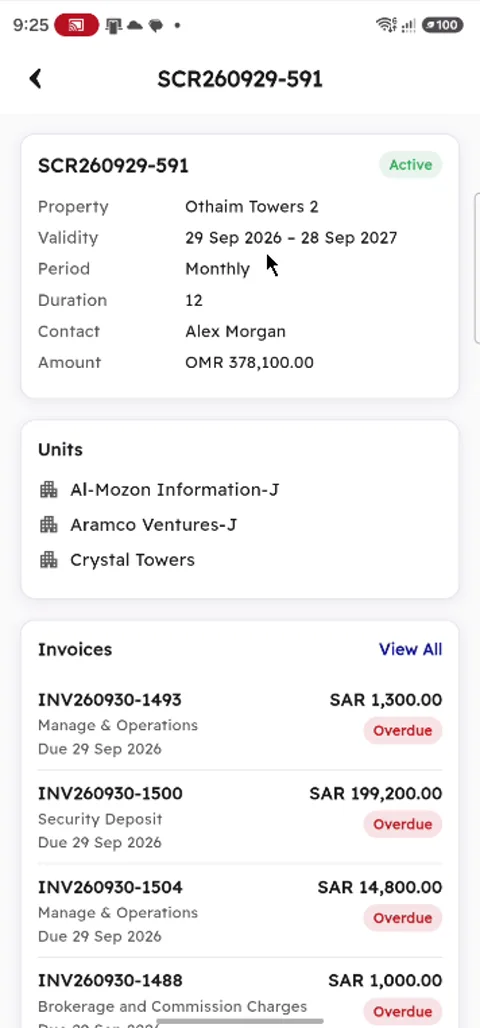
Agreements and invoices
■Every agreement with its dates, units and status
■Invoices with amount, due date and overdue days, as PDF
■Payments and the statement of account
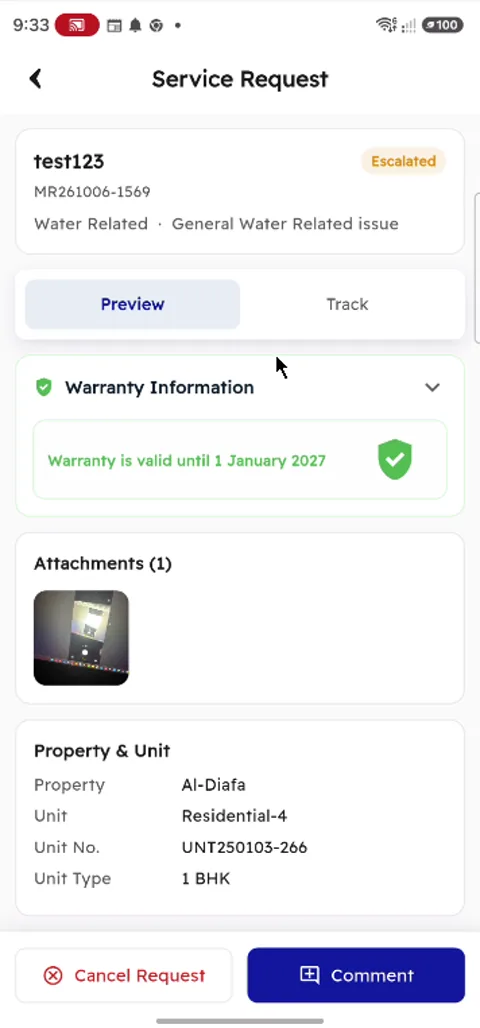
Service requests
■Raise a request for the unit, with photos
■Follow the status, the warranty position and the timeline
■Comments with the service team
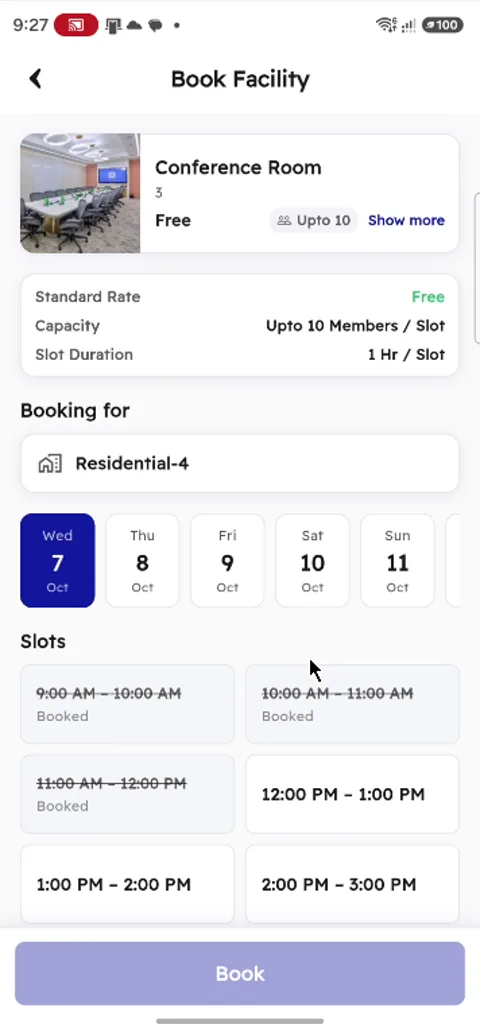
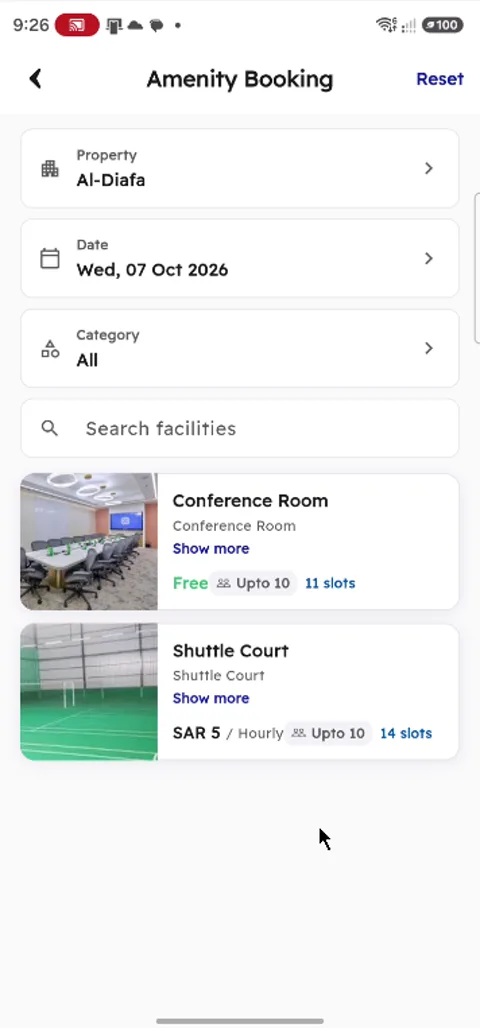
Amenity booking
■Halls, courts, pools and shared amenities by property and date
■Free and booked slots shown for the day
■Confirmed booking with a QR code
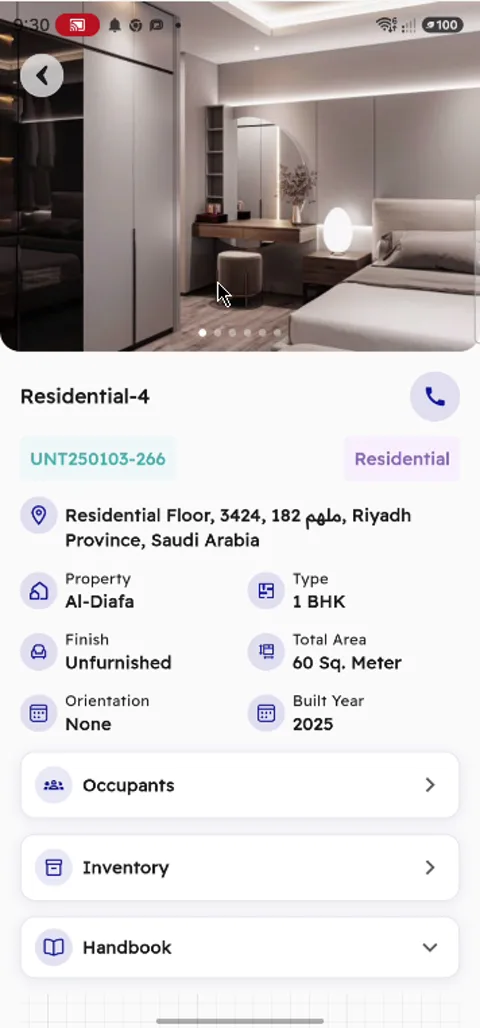
My units
■Units with address, type, area and built year
■Occupants, the unit handbook and the inventory
■Each inventory item with model and serial number
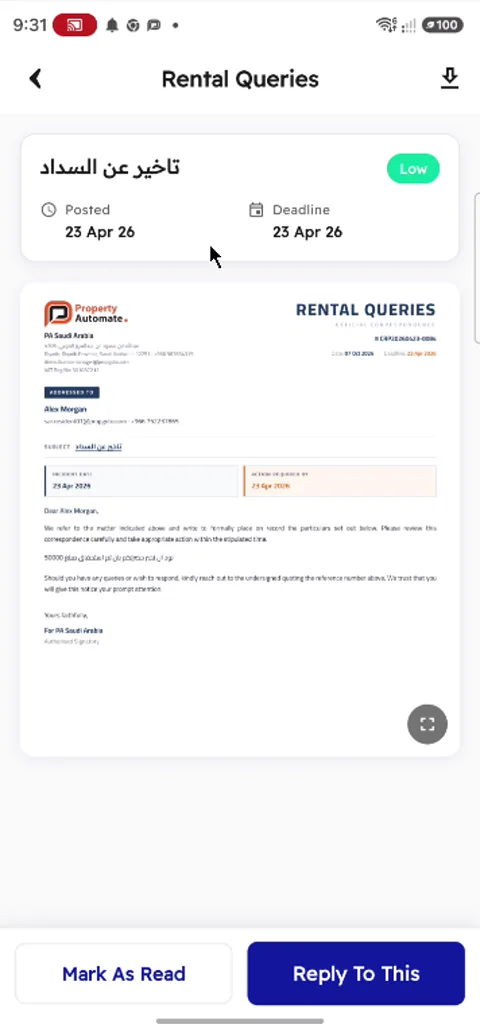
Letters from management
■Official letters with priority and deadline
■On the company letterhead: read, reply or download
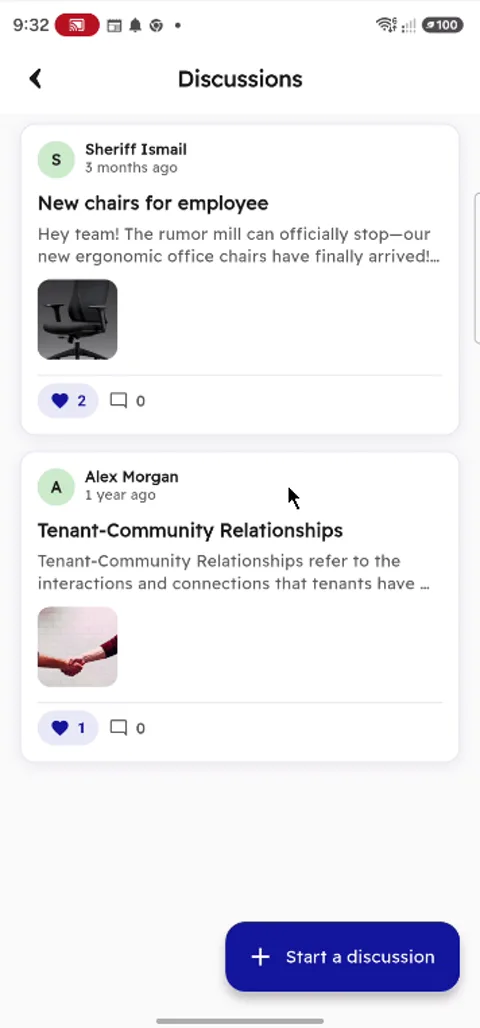
Community
■Discussions with likes and comments
■Community committees, one tap from a call
■Profile: members, vehicles, parking, KYC and files
Agreement and its invoices
Service request
Service request
Book an amenity slot
Unit details
Unit details
Letter from management
Community discussions
PEOPLE APP · FOR EVERYONE WHO WORKS

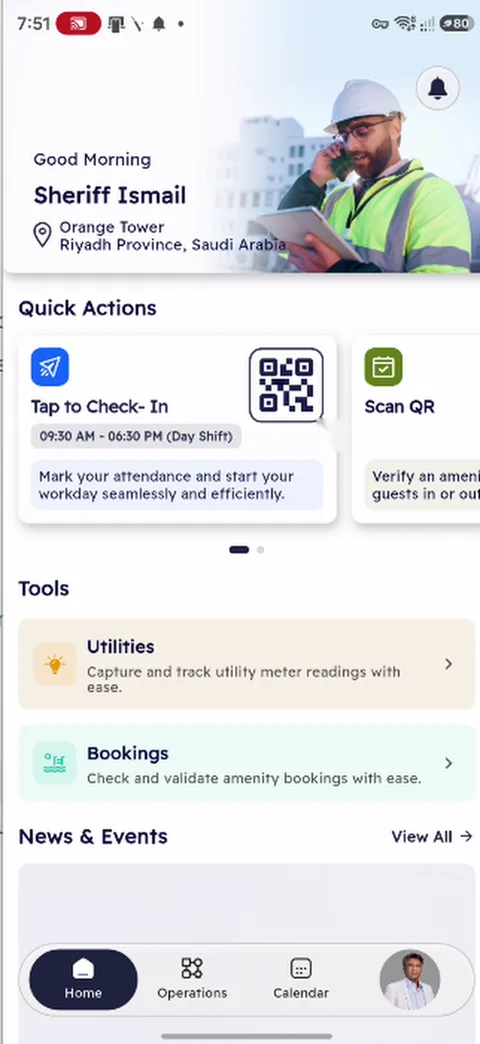
One app for the whole workforce. Each role sees its own tools.

Employees, field workers, inspectors, security guards and collectors sign in to the same app and get the home screen for their role.
EmployeeInspectorWorkerSecurity guardCollectorSales agentFacility staffProject staff
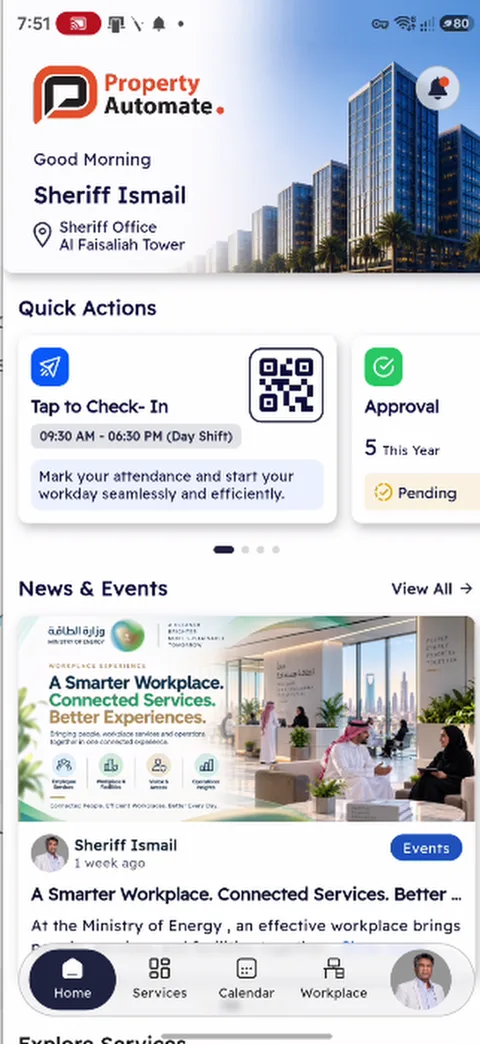
My working day
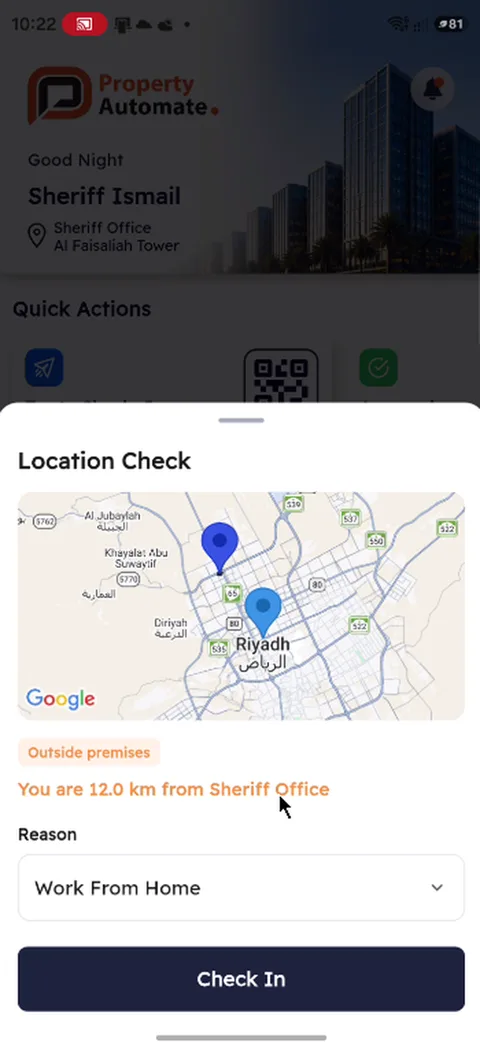
■Check in against the shift, with a location check
■Check-in and check-out kept day by day in the calendar
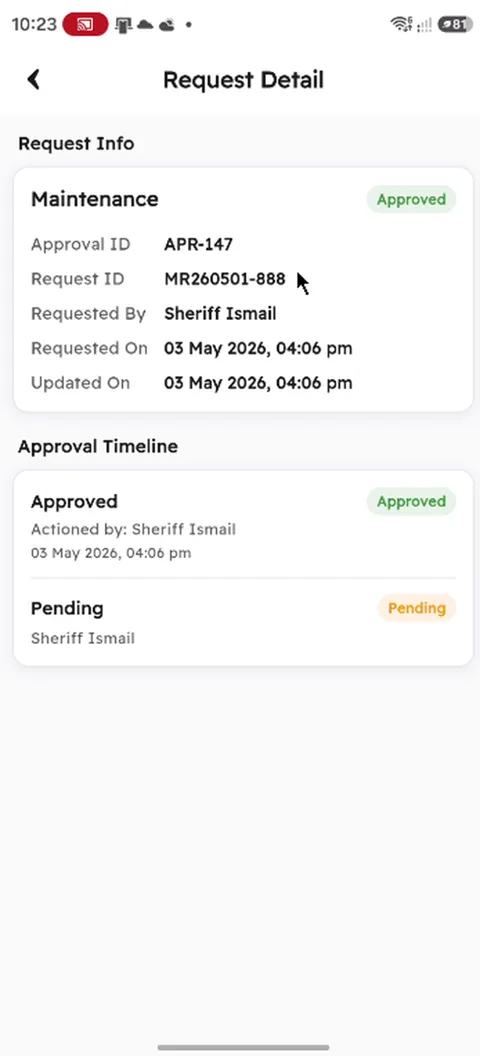
■Approvals waiting for me, with their timeline
■News and events as announcements
Requests and bookings
■Service requests from a QR scan, an asset search, the unit or a common area
■Photo, video or voice note attached
■Facility booking with a QR code
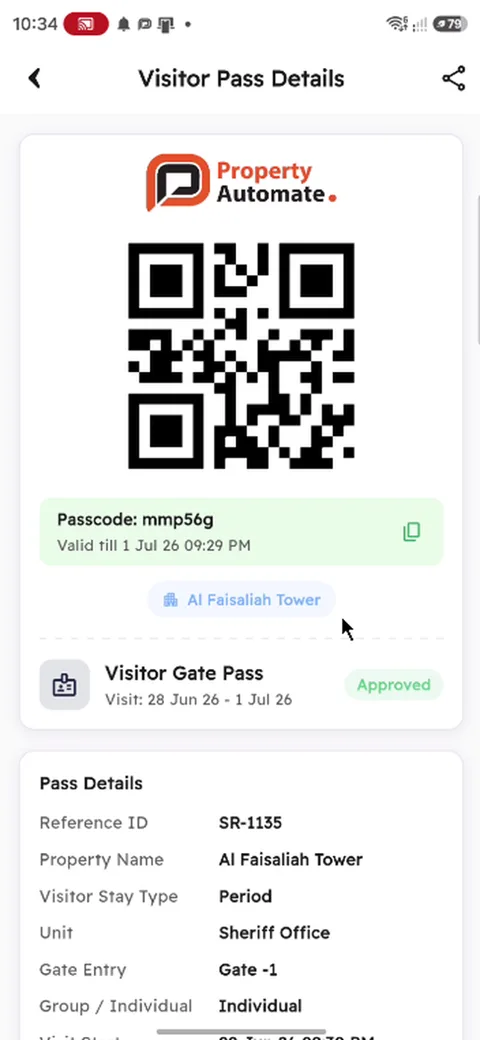
■Visitor passes with a QR code and a passcode
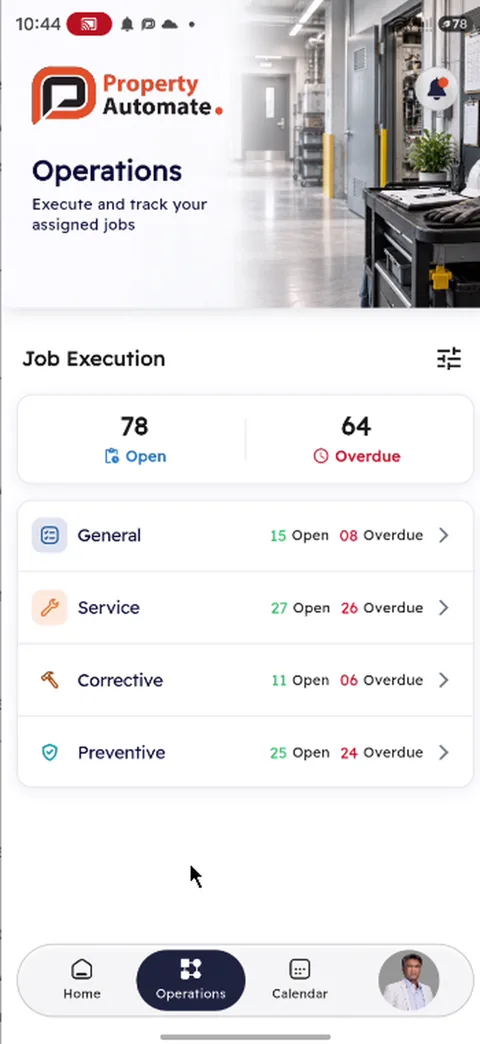
Field jobs
■Open and overdue jobs by kind: general, service, corrective, preventive
■Job with the unit, map, contact and scope of work
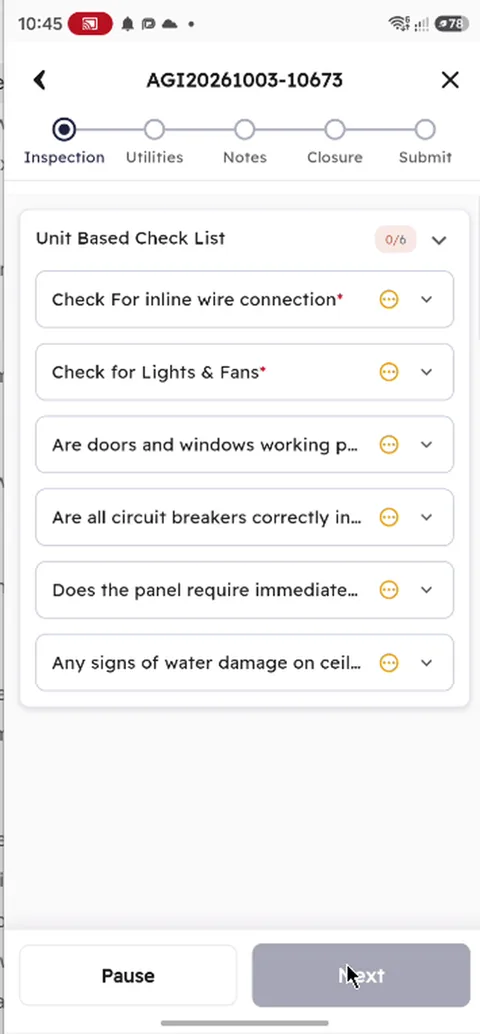
■Step-by-step checklist with condition, notes and photos
■Closed with a signature and photos; offline mode for downloaded jobs
Site tools
■Scan a booking at the door and check it in
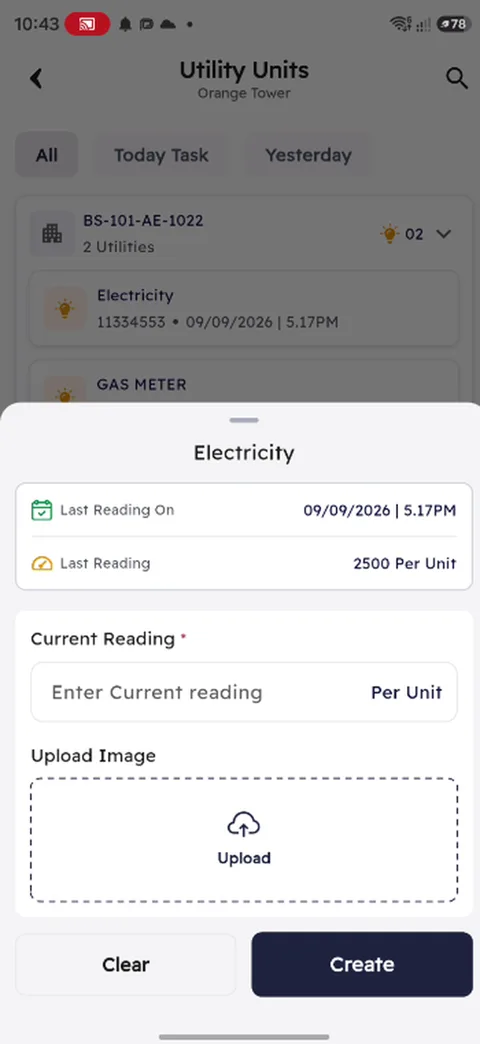
■Meter readings by unit, with a photo
■Workplace: manager, team, department and workspace
Check in with location
Approval request
Approval request
Operations jobs
Operations jobs
Inspection checklist
Visitor pass
Visitor pass
Meter reading
Meter reading
SEE IT STEP BY STEP

Real screens, real tasks.

Booking an amenity
Tenant or resident
  1. Amenities are listed by property, date and category, each with its rate, capacity and free slots.
    1Amenities are listed by property, date and category, each with its rate, capacity and free slots.
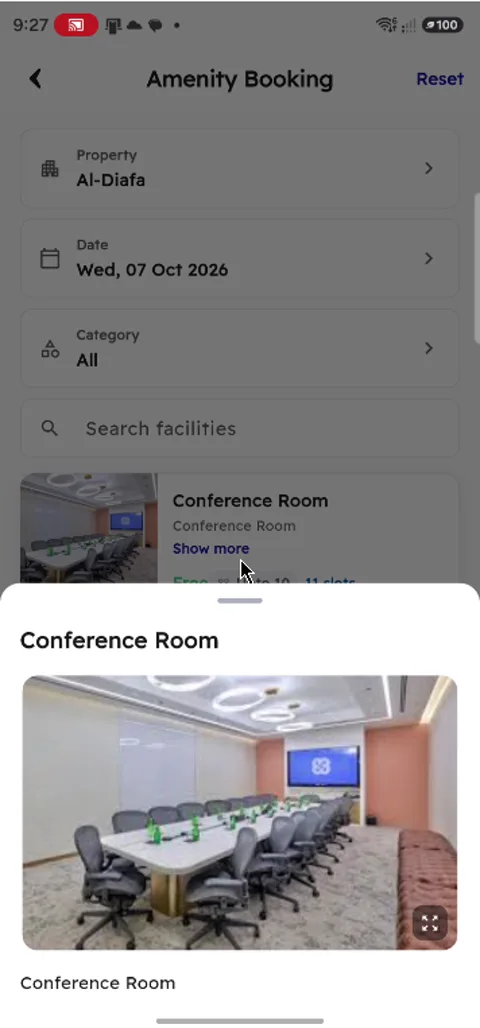
  2. An amenity opens with its pictures and description.
    2An amenity opens with its pictures and description.
  3. The day is picked, and the slots show which are booked and which are free.
    3The day is picked, and the slots show which are booked and which are free.
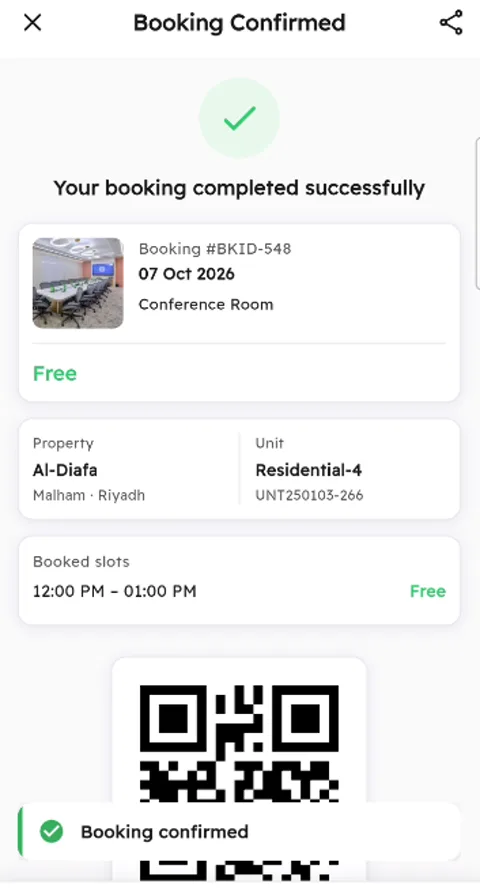
  4. The booking is confirmed with its number, the property and unit, the slot and a QR code.
    4The booking is confirmed with its number, the property and unit, the slot and a QR code.
Raising a service request from the app
Employee or resident
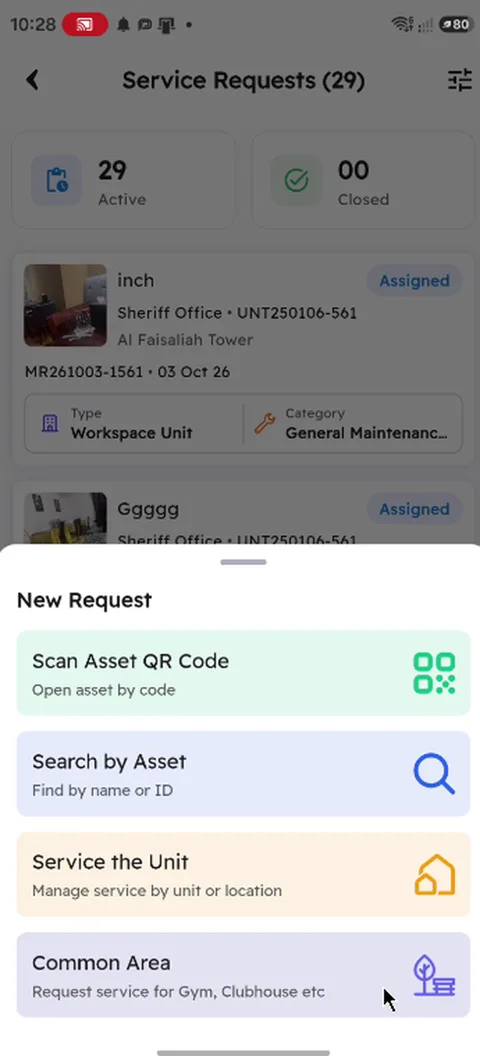
  1. A new request starts from a QR scan, an asset search, the unit or a common area.
    1A new request starts from a QR scan, an asset search, the unit or a common area.
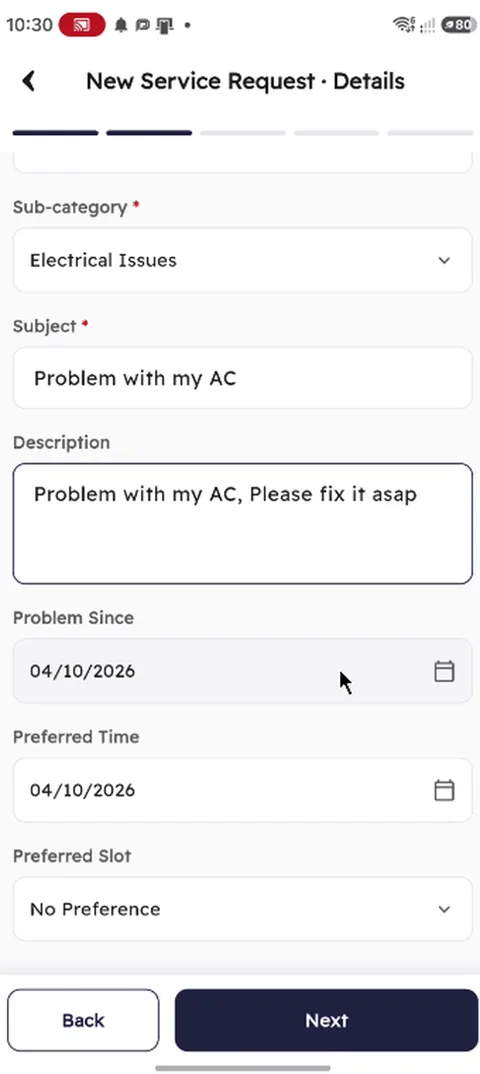
  2. A description, the date the problem started and a preferred time are added.
    2A description, the date the problem started and a preferred time are added.
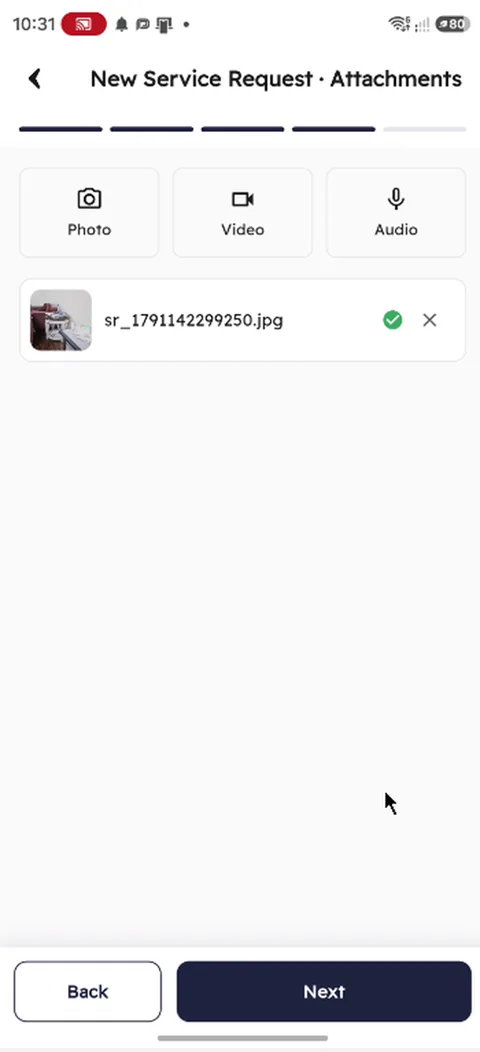
  3. A photo, a video or a voice note can be attached.
    3A photo, a video or a voice note can be attached.
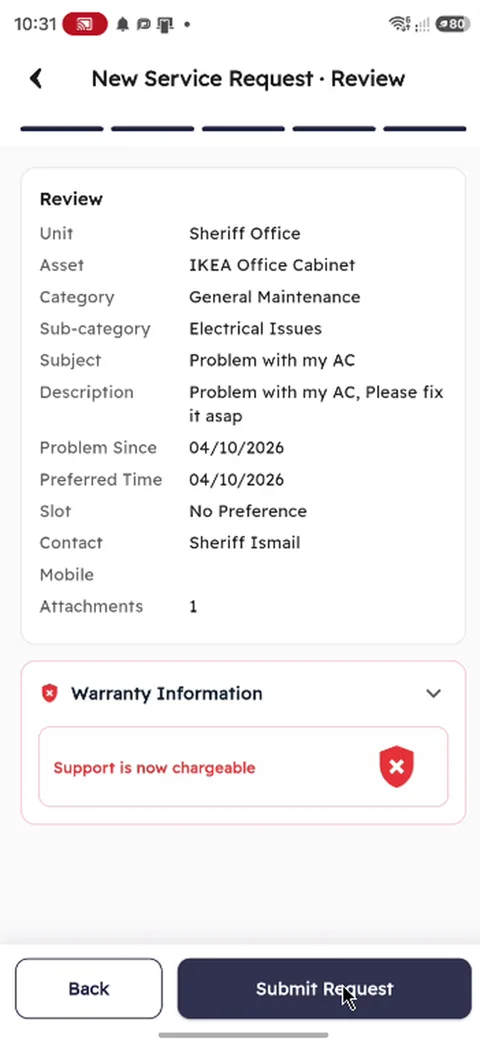
  4. Everything is reviewed, with the warranty position, before the request is submitted.
    4Everything is reviewed, with the warranty position, before the request is submitted.
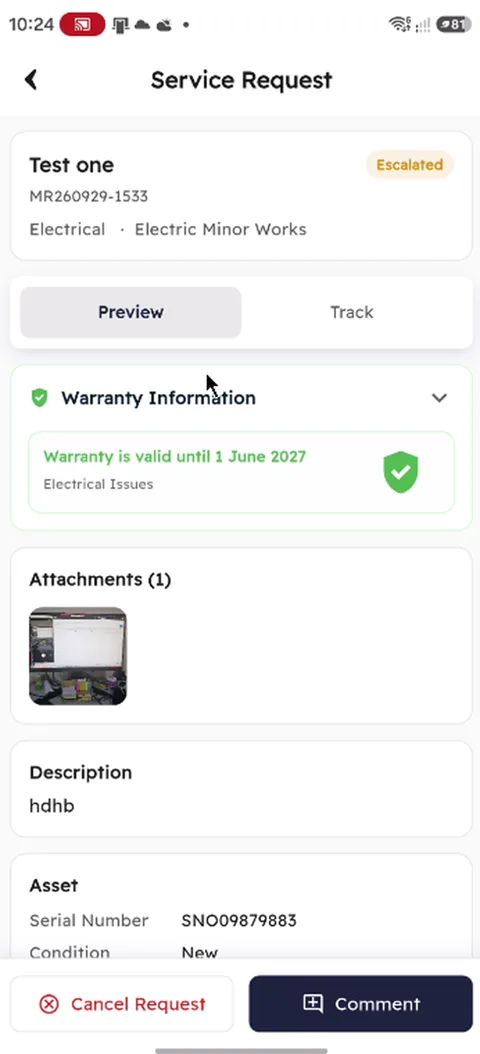
  5. The request then shows its status, the warranty position and its attachments.
    5The request then shows its status, the warranty position and its attachments.
Doing an inspection job from the app
Field worker
  1. Open and overdue jobs are counted by kind: general, service, corrective and preventive.
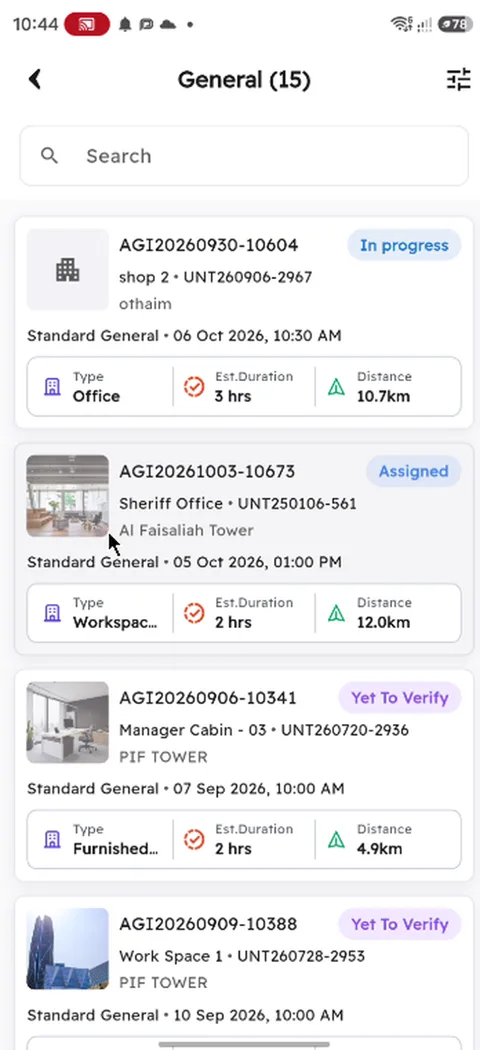
    1Open and overdue jobs are counted by kind: general, service, corrective and preventive.
  2. Each job shows its unit, its date and time, the expected duration and the distance.
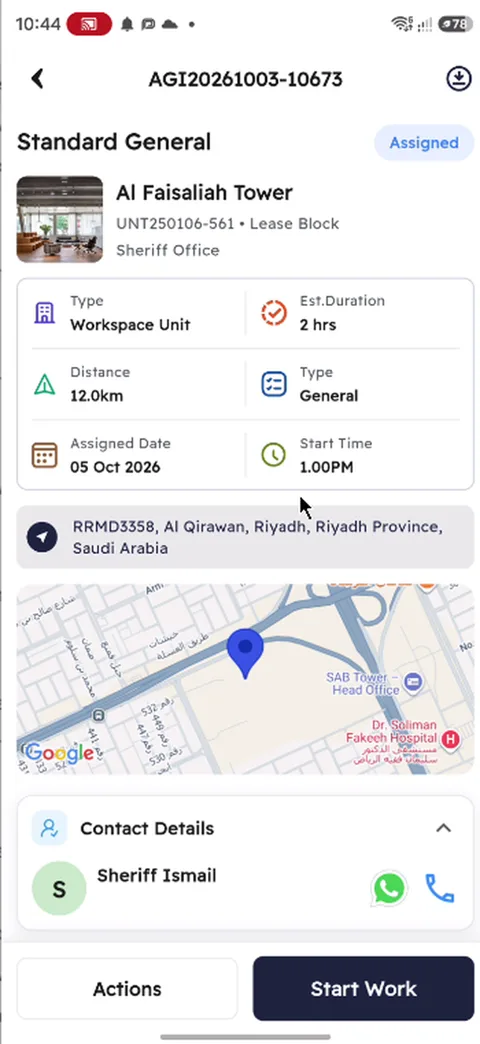
    2Each job shows its unit, its date and time, the expected duration and the distance.
  3. The job opens with the unit, the address on a map and the contact.
    3The job opens with the unit, the address on a map and the contact.
  4. Starting the work opens the checklist, step by step.
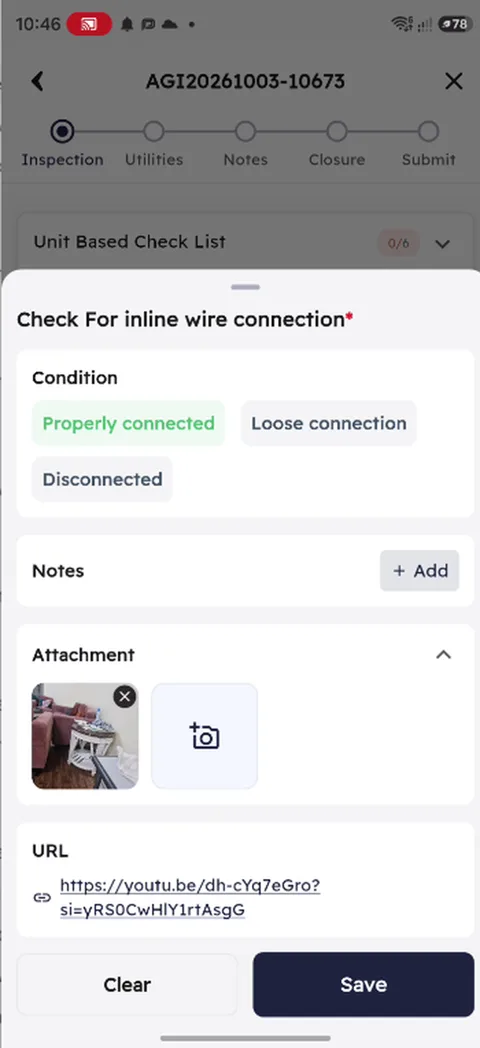
    4Starting the work opens the checklist, step by step.
  5. Each check takes a condition, notes, a photo and a link.
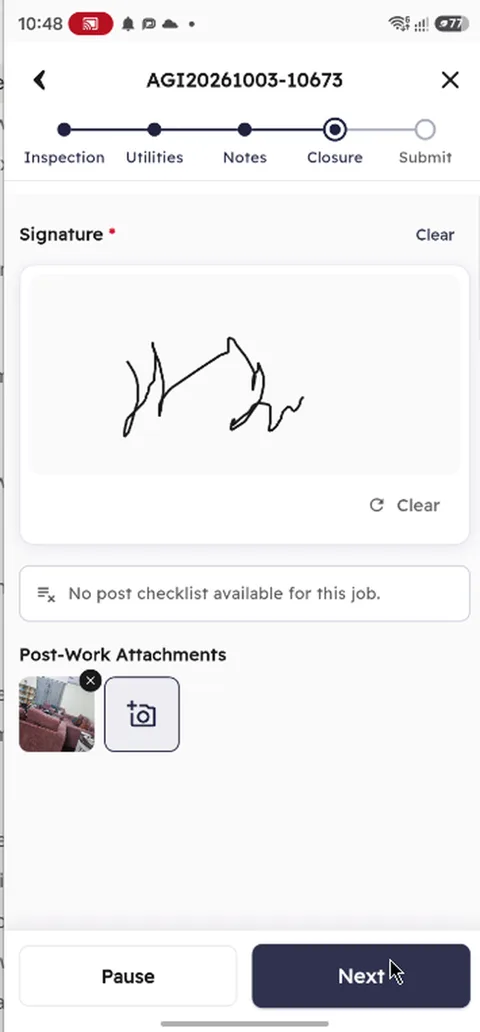
    5Each check takes a condition, notes, a photo and a link.
  6. The job is closed with a signature and photos of the finished work.
    6The job is closed with a signature and photos of the finished work.
ONE PLATFORM

What happens in the apps lands in the gateway.

The apps are not a separate system. A request raised in the Community App is the same service request your helpdesk sees; a job closed in the People App updates the work order, the SLA and the cost.

Same records

Agreements, invoices, requests, jobs and bookings are the records your teams already work on.

In your brand

Your name, logo and colours, from day one.

20 languages

Both apps in English, Arabic, Urdu, Filipino, Indonesian, Malay, Thai, Vietnamese, Turkish, French, Spanish and more.

Role-based

Each person sees only the tools and the properties their role allows.

Questions

Who uses the Community App?

Residents, tenants, landlords and owners: anyone who lives in, rents or owns a unit you manage.

Who uses the People App?

Everyone who works: employees, inspectors, field workers, security guards, collectors, sales agents, and facility and project staff. Each role gets its own home screen.

Are the apps in our brand?

Yes. Both apps carry your name, logo and colours from day one.

Which languages are supported?

Both apps are available in 20 languages, including English, Arabic, Urdu, Filipino, Indonesian, Malay, Thai, Vietnamese, Turkish, French and Spanish.

Do field jobs work without a connection?

Yes. Offline mode keeps downloaded jobs working without a connection.

SEE THE APPS

See both apps on your own properties.

We show the Community App and the People App working on your units, your services and your teams.
© 2026 Property Automate LLC. propGOTO is a product of Property Automate. · Terms of Service · Privacy Policy